Safe, simple performance tuning
for your Windows PC.
Opens a desktop app — no terminal knowledge needed. Monitor your PC Health Score, run safe 1-click optimization, toggle Gaming Mode, and schedule weekly maintenance automatically.
Real Desktop App Screenshots
Actual desktop window captures built with native Python Tkinter on Windows 11. Click any screenshot to expand.
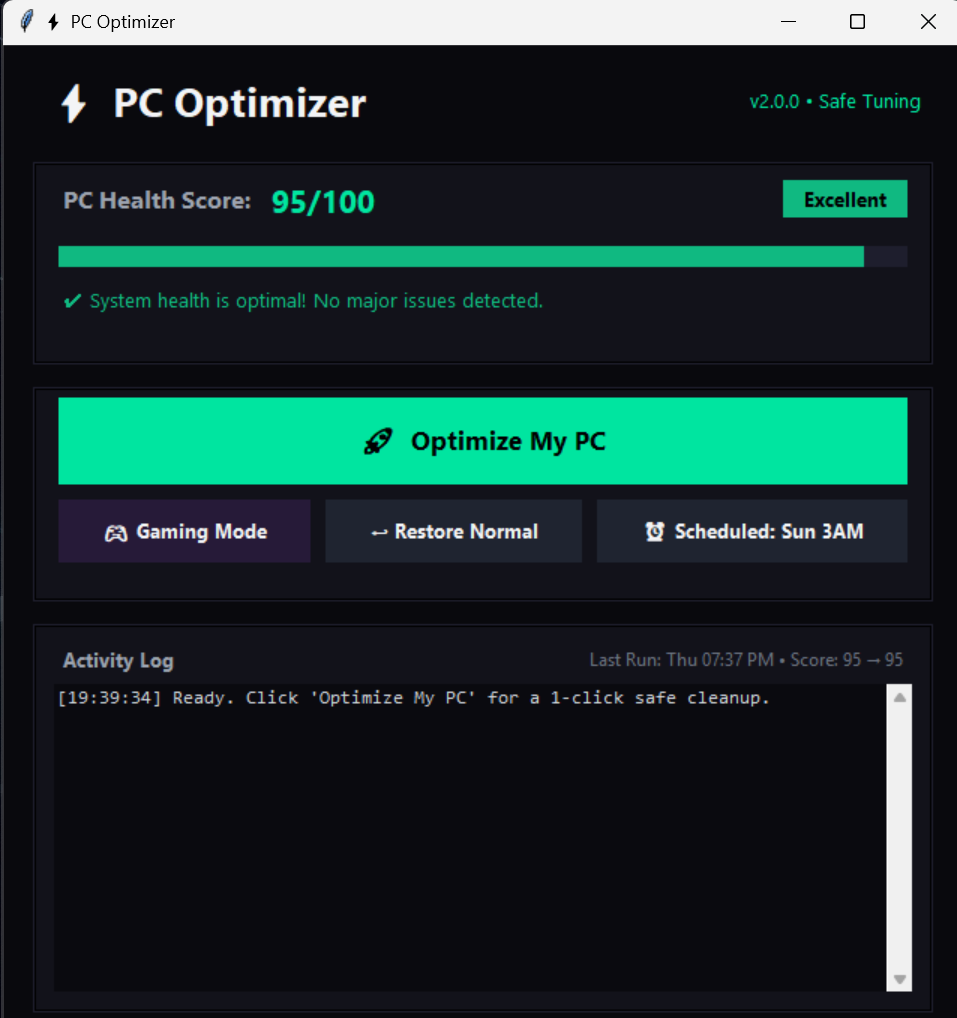
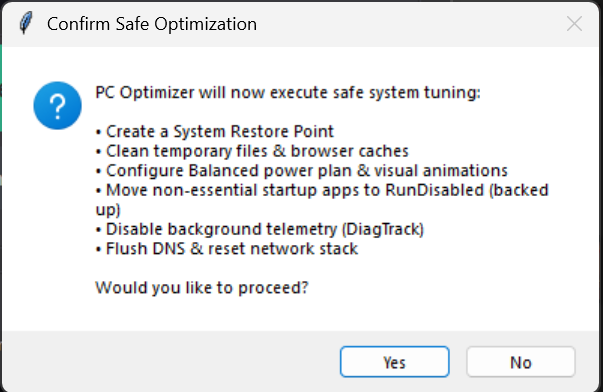
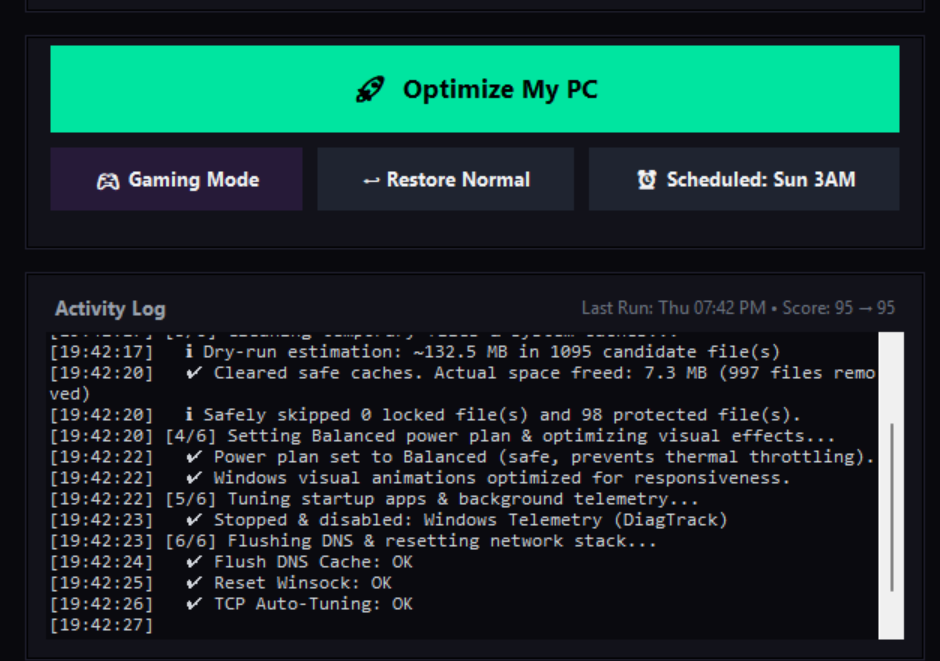
Desktop GUI app with 1-click actions and safe defaults.
Designed to deliver transparent, reversible, and immediate system improvements.
Live PC Health Score
Calculates your real-time system health score (0–100) based on RAM pressure, disk space, temp file size, telemetry, and startup items.
Safe Cleanup Engine
Cleans temp files, flushes DNS, optimizes startup, and disables telemetry safely — designed with safe defaults to prevent system hangs.
Gaming Mode
Switches power plan to High Performance and disables GameDVR background recording to prevent micro-stuttering while gaming.
Weekly Scheduler
One click sets up a native Windows Scheduled Task using optimizer-auto.exe to keep your PC automatically optimized every Sunday at 3:00 AM.
System Protection
Creates a System Restore Point first, keeps Superfetch (SysMain) active for fast app launches, and avoids aggressive RAM flushes.
Standalone Desktop App
No Python setup needed. Double-click optimizer.exe, grant admin permission, and use the desktop GUI window directly.
Transparency & Verification
PC Optimizer is designed to be fully auditable, reversible, and safe.
Every line of code is published on GitHub under the MIT License. Anyone can audit how registry keys, services, and cleanup files are accessed.
Original system values (Power Plan GUID, Visual Effects, GameDVR, Telemetry service mode) are captured prior to modification and restored only if modified by this application.
Every build produces SHA256SUMS.txt and release_manifest.json containing computed file hashes for complete integrity verification.
Static ML heuristic scanners (e.g. Wacatac.B!ml) flag generic PyInstaller bootloaders because the file is not signed with an expensive EV code signing certificate.
Download PC Optimizer
Standalone executables for Windows 10 & 11 (64-bit). No installation wizard required.
iwr -useb https://raw.githubusercontent.com/Naraito-ai/pc-optimizer/main/install.ps1 | iex
The installer script downloads optimizer.exe, computes SHA256 hash, verifies against release manifest, and asks for explicit [Y/N] confirmation.
-
1Click Download optimizer.exe above to save the binary to your PC.
-
2Double-click optimizer.exe — the application opens in User Mode.
-
3Click Optimize My PC — Windows will prompt for Administrator permission when executing system tuning.
Changelog
Continuous improvements ensuring safety, performance, and transparency.
- Implemented Phase 7 privilege reduction (on-demand UAC elevation allowing GUI launch in User Mode)
- Separated GUI (optimizer.exe) and CLI (optimizer-auto.exe) builds so scheduled tasks preserve output logging
- Refactored install.ps1 to download binary, display SHA256 checksum, verify manifest, and prompt for execution
- Added health score 30s calculation cache to prevent UI freezes on large temp folders
- Added Gaming Mode visual indicator button state ("Gaming Mode: ON")
- Added Type-Aware startup entry restoration (REG_DWORD / REG_SZ / REG_EXPAND_SZ)
- Embedded Windows VersionInfo PE metadata (v2.0.1.0) and added antivirus false positive notice label
Frequently Asked Questions
Clear answers to common questions about safety, compatibility, and execution.
optimizer.exe is a standalone binary compiled with PyInstaller and is an open-source tool without an expensive ($400/yr) EV Code Signing Certificate, automated Machine Learning rules (like Wacatac.B!ml) trigger heuristic false positives. All major signature engines (Kaspersky, BitDefender, ESET, Sophos, Symantec, Avast) show 0 detections.optimizer.exe is a standalone Windows executable bundled with all necessary components. Simply double-click to run.